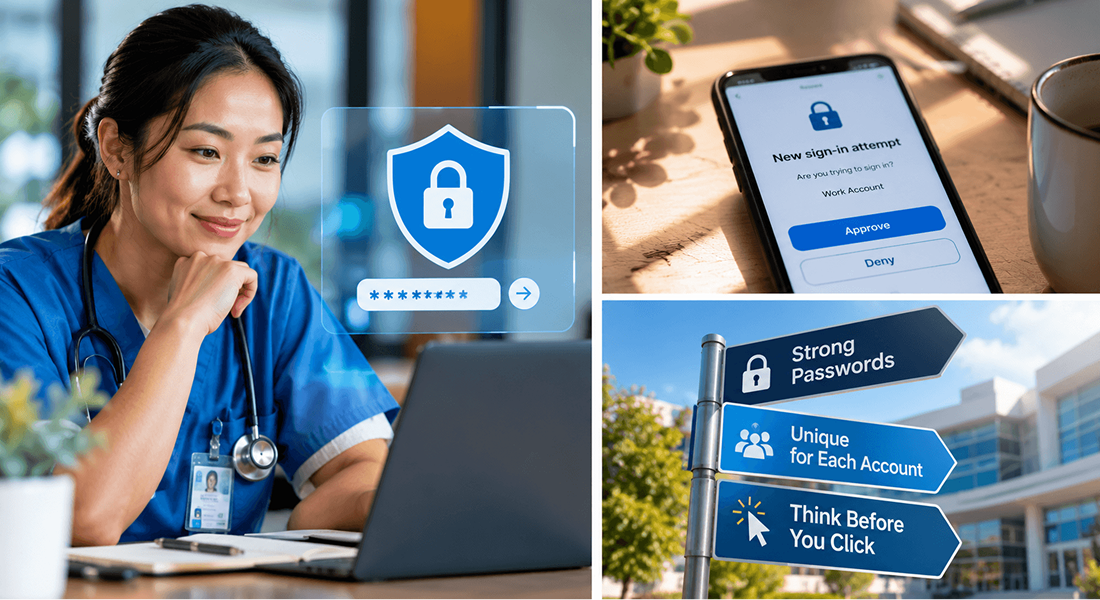
Key Takeaway
Strong passwords matter. But the real goal is stronger authentication habits from login to logout.
A healthcare password rarely protects only one thing.
Behind one login may sit an email inbox, scheduling system, patient portal, billing platform, laboratory results, cloud storage, or an electronic health record. A password may look like a small security control, but what it unlocks can be significant.
That is why password protection should not be treated as a once-a-year reminder to “make your password harder.”
The bigger question is this:
Can someone else use your credentials to become you?
A password can be long and complicated and still fail if it is reused, shared, entered into a phishing page, exposed through an unsafe reset process, or paired with an authentication request that a user approves without thinking.
Good password security is not about making people memorize impossible strings. It is about making stolen or guessed credentials harder to obtain, harder to reuse, and less useful to an attacker.
The Password Is the Beginning, Not the Whole Security System
The Health Insurance Portability and Accountability Act of 1996 (HIPAA) Security Rule addresses password management as part of security awareness and training. The rule calls for procedures for creating, changing, and safeguarding passwords when password management is a reasonable and appropriate safeguard. HHS guidance also emphasizes workforce training and procedures that prevent inappropriate password sharing.
But password protection does not stand alone.
Authentication answers an important question: Is the person trying to enter the system really the person they claim to be?
A password is one way to help answer that question. Multifactor authentication, security keys, approved authentication applications, access controls, audit logs, and monitoring can add other layers.
The point is not to make every employee an authentication expert. The point is to recognize that a password is valuable because of what it represents: your identity inside the system.
When someone else gets that identity, the system may treat their actions as yours.
The Old Password Advice Is Changing
For years, password advice often sounded familiar: use an uppercase letter, add a number, add a symbol, and change the password every 60 or 90 days.
That approach frequently created passwords that looked complicated but were still predictable.
People added an exclamation point at the end. They changed “Spring2026!” to “Summer2026!” They reused the same basic password across several systems because remembering many complicated passwords became unrealistic.
Current National Institute of Standards and Technology (NIST) guidance takes a different approach.
NIST emphasizes length, uniqueness, and screening against commonly used or compromised passwords rather than forcing users to satisfy complicated composition rules. For passwords used as a single authentication factor under its current federal digital identity guidance, NIST requires a minimum of 15 characters. It also says routine periodic password changes should not be required unless there is evidence that the authenticator may have been compromised.
NIST also explains that complicated character rules can create poor habits because users tend to satisfy them in predictable ways. Longer passwords and passphrases can often provide better security while being easier to remember.
This does not mean every healthcare organization must immediately adopt every NIST digital identity requirement exactly as written. NIST SP 800-63B-4 is federal digital identity guidance, not a replacement for the HIPAA Security Rule.
It does mean healthcare organizations have good reason to review old password policies that rely heavily on complexity rules and frequent forced changes while overlooking more important risks.
A Strong Password Used Everywhere Is Still a Weak Strategy
Consider an employee who creates an excellent password. It is long. It is difficult to guess. It has never been written on a sticky note.
Then the employee uses the same password for a personal shopping account.
That retailer experiences a breach. Now the attacker has an email address and password combination that can be tested elsewhere.
This is called credential stuffing.
Attackers take usernames and passwords exposed in one incident and automatically try them against other services. If the same password was reused, the attacker may not need to guess anything.
NIST specifically recommends distinct passwords for different services because password reuse makes credential-stuffing attacks possible.
For healthcare workers, the practical rule is simple: Your work password should not have a second life somewhere else.
A password used for an electronic health record, work email, scheduling system, or remote-access account should not also unlock a streaming service, shopping site, social media account, or personal email.
Unique passwords limit the damage when another service is compromised.
Phishing Changes the Question
Password strength matters when someone is trying to guess a password. Phishing creates a different problem.
Instead of guessing the password, the attacker asks the employee to provide it.
The message may say: “Your password expires today.” “Your mailbox is over its limit.” “A secure document is waiting.” “Your account will be disabled unless you verify now.” “Microsoft 365 requires immediate authentication.”
The page may look almost identical to the organization's real login screen.
The user enters a valid username and password. From the employee's point of view, nothing dramatic happened. The page may reload, show an error, or redirect to a legitimate site.
From the attacker's point of view, the work may already be done.
RECENT HEALTHCARE REMINDER
In September 2026, the U.S. Department of Health and Human Services (HHS) Office for Civil Rights (OCR) announced a settlement with Ambry Genetics Corporation following an investigation connected to a phishing attack.
The underlying incident occurred in January 2020, when an employee email account was compromised. Ambry reported that protected health information belonging to 225,370 individuals was potentially exfiltrated. The information potentially affected included names, addresses, dates of birth, some Social Security or driver's license numbers, financial information, diagnoses, laboratory results, medications, and treatment information.
OCR's investigation identified potential HIPAA Security Rule violations involving risk analysis, termination of access, and unique user identification. Ambry agreed to pay $700,000 and implement a corrective action plan monitored by OCR for two years.
Accuracy matters when using an enforcement case like this. OCR did not describe the settlement as a simple case of an employee choosing a “bad password.”
The larger lesson is more useful: A compromised user account can become the doorway into a much wider security problem.
The organization therefore needs more than password rules. It needs risk analysis, unique user identification, appropriate termination of access, workforce training, monitoring, and a process for responding when credentials may be compromised.
The Password Reset Deserves Just as Much Protection
Many organizations focus heavily on creating passwords and spend far less time thinking about what happens when someone forgets one.
But the reset process can become another route into the account.
Imagine this conversation: “Hi, I'm locked out. I'm about to see patients. Can you reset my password quickly?”
The request sounds urgent. The caller knows the employee's name, department, supervisor, and perhaps even their employee number. Much of that information may be available through social media, public websites, breached databases, or prior phishing.
If the help desk resets the account based only on information that an attacker can easily collect, a strong original password may no longer matter.
A reliable reset process should verify identity through approved methods.
Staff should also be cautious about unexpected password-reset emails or texts. A reset notice that the user did not request deserves attention, particularly if it includes a link asking the person to “confirm” credentials.
The safe response is usually not to follow the unexpected link. Instead, reach the system through the normal approved path or contact the appropriate support team.
Password Managers Can Solve a Human Problem
Unique passwords create an obvious problem. How is anyone supposed to remember all of them?
This is where an approved password manager can help.
Password managers can generate and store long, unique passwords so users do not have to memorize a different complicated secret for every account. NIST recognizes password managers as a way to support distinct passwords and reduce the burden on users, while also noting that organizations should evaluate password-management tools before recommending or requiring them.
The important word is approved.
Employees should not move work credentials into random browser extensions, personal cloud notes, spreadsheets, or unreviewed password applications simply because the tool is convenient.
Organizations should decide which tools are acceptable and make the approved method easy to use.
Security works better when the safe option is also the practical option.
Sharing a Password Also Shares Accountability
Busy healthcare environments create pressure. A colleague needs quick access. A temporary worker is waiting. Someone's account is not working. A shared workstation is already logged in.
The shortcut can sound harmless: “Just use mine for now.”
But shared credentials create several problems.
First, the other person may gain access that was never approved for them. Second, system activity may now appear under the wrong person's identity. Third, if something inappropriate happens, investigators may have difficulty determining who actually performed the action.
The HIPAA Security Rule requires unique user identification under the access-control standard, meaning systems need a way to identify and track individual users. The Ambry Genetics corrective action plan also specifically required implementation of unique user identification in systems containing ePHI.
One person should not casually become another person's digital identity.
If someone needs access, the answer is an approved access process, not a borrowed password.
An MFA Prompt Is Also a Security Decision
Multifactor authentication adds another layer after the password. That layer is useful only when the user pays attention.
Suppose an employee receives an authentication request on their phone. They are not currently logging in. Another request appears. Then another.
The temptation may be to approve one simply to make the prompts stop. That can defeat the protection MFA was supposed to provide.
An unexpected authentication prompt may mean someone already knows or has obtained the password and is attempting to complete the login.
The better response is straightforward: Deny the request. Report it. Follow the organization's credential-compromise procedure.
The notification is not merely an inconvenience. It may be the warning.
Managers Own Part of the Password Problem Too
Password protection is often presented as an employee responsibility. That is incomplete.
Organizations shape user behavior through the systems and rules they create.
If employees must remember ten separate complex passwords that change every few weeks, workarounds should not be surprising.
If the approved password manager is difficult to use, people may create their own method.
If password-reset procedures take hours, staff may borrow credentials.
If authentication prompts provide no meaningful context, users may approve them automatically.
Security policies should therefore be evaluated against real work.
Managers, security teams, information technology personnel, and compliance leaders should be able to answer:
- Are password requirements consistent with current security guidance?
- Are known weak or compromised passwords blocked where technically possible?
- Can staff use long passwords or passphrases?
- Are work passwords kept separate from personal accounts?
- Is an approved password manager available where appropriate?
- Does the reset process reliably verify identity?
- Are shared credentials prohibited or tightly controlled?
- Are terminated or unnecessary accounts disabled promptly?
- Do employees know how to report suspicious password activity?
- Are unusual login attempts and system activity reviewed?
The strongest password policy is not the one with the longest list of rules. It is the one that produces safer behavior.
What to Do When a Password May Be Compromised
A suspected credential compromise should not become a private problem that an employee tries to fix quietly.
Warning signs may include:
- An unexpected password-reset message
- An MFA request the user did not initiate
- Login alerts from an unfamiliar location or device
- Messages appearing in the sent folder that the user did not send
- Unexpected account lockouts
- Changes to account settings
- Coworkers receiving strange messages from the user's account
- Discovering that credentials were entered into a suspicious page
When something looks wrong, speed matters.
The appropriate response will depend on the organization's procedures, but employees should generally report the concern immediately and follow the approved password-reset or security-incident process.
Changing the password may be necessary, but it may not be sufficient.
The organization may also need to review active sessions, authentication factors, forwarding rules, account activity, connected applications, access permissions, and possible disclosure of information.
That is why reporting matters as much as resetting.
Make Password Protection Easier to Do Correctly
The goal of password security should not be to create rules that employees struggle to remember.
It should be to build a system in which the safer action becomes the normal action.
Use unique credentials. Favor longer passwords or passphrases over predictable complexity tricks. Use approved password-management tools when available. Do not reuse work passwords for personal accounts. Do not share credentials. Verify unexpected login and reset requests. Do not approve authentication prompts you did not initiate. Report suspicious activity early.
And when a workflow makes those actions unnecessarily difficult, fix the workflow rather than assuming users will compensate forever.
A password is small. The identity behind it is not.
THE NOVEMBER TAKEAWAY
Protect the password. Protect the identity. Protect what that identity can reach.
One compromised credential should never become an easy path to everything behind it.
Taking Security & Compliance to the Next Level
Building robust authentication habits and operational safeguards is an ongoing effort for every healthcare organization. Looking to take your knowledge a step further? Consider becoming a Certified HIPAA Security Officer (CHSO) through EPI Compliance and Taino Consultants. The CHSO program helps professionals strengthen their HIPAA Security, risk management, and compliance leadership skills while helping organizations improve security governance, audit readiness, and protection of sensitive information. Learn more about the CHSO Certification Pathway to advance your career and elevate your organization's security posture.
How Structured Support Helps
HIPAA security shouldn't be a burden, but a blueprint for resilient practice. EPICompliance provides a centralized platform for managing training, policy templates, and automated task lists, keeping your team organized and audit-ready. When you need to align these tools with your specific operations, Taino Consultants provides expert guidance to help you navigate the Security Risk Assessment (SRA) process and right-size your risk management plan.
Take the next step
Current Users: Log in to review your monthly security reminders, compliance tasks, and ensure your documentation reflects your current workflows.
New to Us? Discover how our combined tools and guidance reduce uncertainty and build a culture of compliance.
References
- U.S. Department of Health and Human Services, Office for Civil Rights. HIPAA Security Series: Administrative Safeguards. Password Management, 45 C.F.R. § 164.308(a)(5)(ii)(D).
- National Institute of Standards and Technology. NIST SP 800-63B-4: Digital Identity Guidelines: Authentication and Authenticator Management. July 2025.
- National Institute of Standards and Technology. Digital Identity Guidelines Implementation Resources: Frequently Asked Questions.
- U.S. Department of Health and Human Services, Office for Civil Rights. HHS' Office for Civil Rights Settles HIPAA Investigation of Ambry Genetics Phishing Attack Affecting 225,000 Individuals. September 17, 2026.
- U.S. Department of Health and Human Services, Office for Civil Rights. Security Rule Guidance Material and OCR Cybersecurity Newsletters.