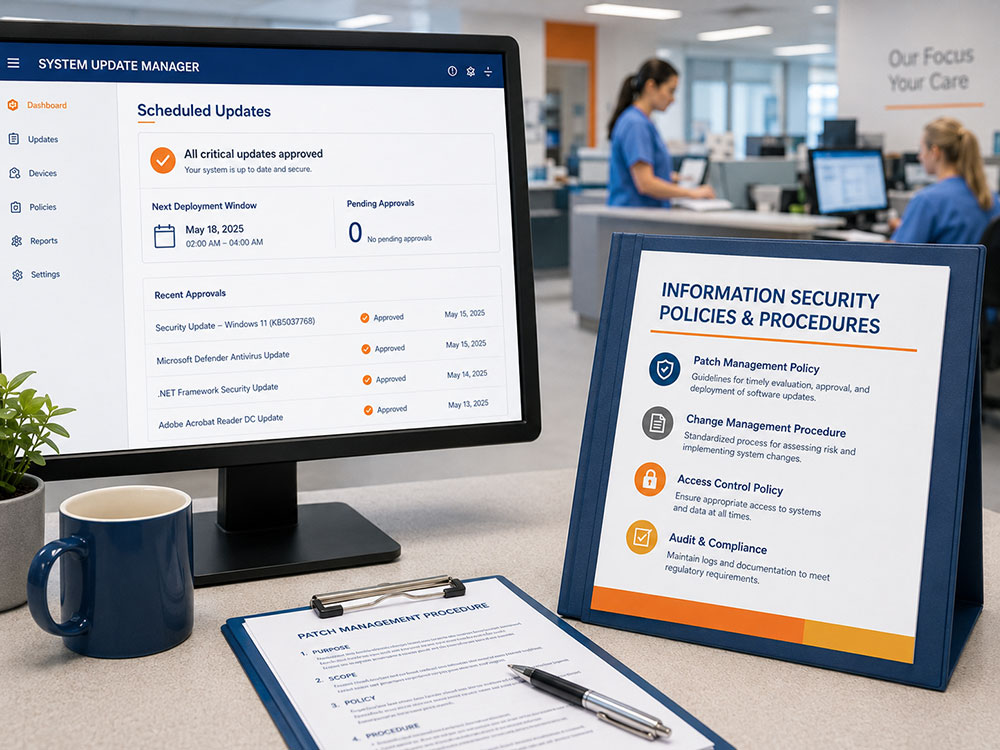
A practical HIPAA Security reminder for busy healthcare teams: patches protect systems, but policies and procedures make protection reliable.
Why this article matters: Most healthcare teams do not delay updates because they are careless. They delay because the day is busy, responsibilities are unclear, and no one wants to interrupt patient care. This article turns patching from a technical topic into an operational risk conversation that managers and staff can act on immediately.
Do Not Click “Later”: Why Healthcare Patch Policies Matter Before the Update Becomes Urgent
There is a special kind of optimism that appears when a system update pops up in the middle of a busy healthcare day.
Later.
Not because anyone is trying to be reckless. Usually, the reason is practical. A patient is waiting. A billing file is open. A report is due. Someone is still logged in. A vendor update looks important, but no one is completely sure whether it will interrupt the application everyone needs before lunch.
So the update waits.
Then it waits again.
And without anyone meaning for it to happen, “later” becomes the plan.
That is where system patches, policies, and procedures meet. A patch may close the technical weakness, but a clear policy and procedure prevent every update from becoming a surprise fire drill.
The most dangerous patching delay is often not technical. It is operational.
What a Patch Actually Does
A system patch is a software update designed to fix a problem, improve functionality, or close a security weakness. In cybersecurity, patches matter because many attacks do not depend on brand-new tricks. They often target known vulnerabilities, including weaknesses for which fixes already exist.
The National Institute of Standards and Technology (NIST) describes patch management as more than simply installing updates. It includes identifying, prioritizing, acquiring, installing, and verifying patches, updates, and upgrades across an organization. In plain language, patching is preventive maintenance for technology.¹
In healthcare, technology is not off to the side. It is woven into scheduling, billing, documentation, prescriptions, lab results, imaging, patient portals, remote access, and daily care. If a known weakness remains open, the risk is not only technical. It can become an operational issue, a patient trust issue, and a HIPAA Security issue.
The U.S. Department of Health and Human Services (HHS) explains that the HIPAA Security Rule requires regulated entities to use reasonable and appropriate administrative, physical, and technical safeguards to protect electronic protected health information (ePHI).²
The Real Problem Is Not Always the Patch
It is easy to assume the hard part is installing the update. Sometimes it is. But in real healthcare environments, the bigger challenge is often coordination.
Who owns the system? Who approves downtime? Which devices are highest priority? Which patch needs testing first? Who tells staff what to expect? Who confirms the patch actually worked?
If the answer is “we’ll figure it out when it happens,” the delay has already started.
Research on patch delays in healthcare found that delays often involve more than technology. People, approvals, coordination, testing, deployment, and follow-up can all slow the process. In that study, coordination delays stood out as a major reason patching took longer than planned.³
That is why policies and procedures matter. A policy says what the organization expects. A procedure says how the work gets done. Both are needed. A policy without a procedure can sound good on paper but fail during a busy week. A procedure without a policy can become a workaround that no one officially owns.
A Real-World Reminder: Policies Must Be Followed, Not Just Filed
A clear healthcare example comes from the HHS Office for Civil Rights settlement involving Anchorage Community Mental Health Services.
The Office for Civil Rights opened an investigation after Anchorage Community Mental Health Services reported a malware-related breach affecting 2,743 individuals’ unsecured ePHI. HHS reported that the organization had adopted sample HIPAA Security Rule policies and procedures years earlier, but those policies and procedures were not followed. The Office for Civil Rights also found that the organization had failed to regularly update information technology resources with available patches and continued to run outdated, unsupported software.⁴
That example ties June’s two topics together clearly. The issue was not only that patches were missed. The issue was not only that software was unsupported. The issue was also that policies and procedures existed but were not carried into daily practice.
That is the danger zone: when the binder says one thing, but the workflow does another.
What Good Patch Procedures Should Help Answer
A strong patch process does not have to be dramatic. It has to be clear enough that people can follow it under pressure.
- What systems and software do we have?
- Which systems are critical to patient care or operations?
- Who monitors for patches and vulnerabilities?
- How are high-risk updates prioritized?
- When should updates be tested before deployment?
- Who approves downtime or maintenance windows?
- How are affected staff notified?
- How do we verify that patches were successfully installed?
- How do we document exceptions, delays, and follow-up?
NIST recommends a documented and accountable approach to patch and vulnerability management. That includes knowing what systems exist, monitoring vulnerabilities, prioritizing updates, testing when needed, verifying that fixes worked, and training the people involved.⁵
This is the difference between “we updated some computers” and “we can show how we manage known weaknesses.”
Why Policies and Procedures Cannot Stay Frozen
Policies and procedures should not be treated like decorations. They need to match the way the organization actually works.
A clinic that adds remote staff may need to revisit remote access and update procedures. A practice that adds a cloud-based billing platform may need to clarify vendor responsibilities. A department that relies on a specialty device may need a patching plan that includes vendor coordination and downtime planning.
The HIPAA Security Rule is intentionally flexible, but flexibility does not mean “anything goes.” HHS describes administrative safeguards as administrative actions, policies, and procedures used to manage the selection, development, implementation, and maintenance of security measures that protect ePHI.²
In simpler language: the organization has to decide what reasonable safeguards look like for its environment, then make sure people know how to carry them out.
The Manager’s June Check
For June, managers do not need to become patch engineers. They do need to ask whether the process works in real life.
- Do we know what systems and software we are responsible for?
- Do staff know what to do when an approved update prompt appears?
- Are critical patches prioritized instead of handled randomly?
- Are patch exceptions and delays documented?
- Are policies and procedures reviewed when workflows, vendors, devices, or systems change?
If these questions are hard to answer, that is not a failure. It is useful information. It shows where the process needs attention before a real incident forces the issue.
The Bigger Lesson
Patches are not glamorous. Policies and procedures are not exciting. But together, they prevent known weaknesses from becoming emergencies.
A patch closes a gap. A policy sets the expectation. A procedure gets the work done. Documentation shows what happened. Training helps people follow the process when the day is busy.
That is the heart of June’s reminder: do not wait for the perfect day, do not let “later” become the plan, and do not keep policies in a binder while the real workflow improvises.
The best time to handle a patch is before a vulnerability becomes an incident.
How structured support helps
HIPAA Security should not feel like a burden. It should function as a blueprint for a more resilient practice. EPICompliance helps healthcare organizations centralize training, policy templates, reminders, compliance tasks, and documentation so teams can stay organized and audit-ready. When organizations need expert support aligning those tools with daily operations, Taino Consultants provides guidance to help navigate the Security Risk Assessment (SRA) process and right-size the risk management plan.
Take the next step: Current users should log in to review monthly security reminders, assigned tasks, and documentation. New organizations can explore how EPICompliance and Taino Consultants work together to reduce uncertainty and build a sustainable culture of compliance.
References
National Institute of Standards and Technology. Guide to Enterprise Patch Management Planning: Preventive Maintenance for Technology. NIST Special Publication 800-40 Rev. 4. U.S. Department of Commerce; 2022. doi:10.6028/NIST.SP.800-40r4
U.S. Department of Health and Human Services. Summary of the HIPAA Security Rule. Updated 2024. Accessed May 15, 2026. https://www.hhs.gov/hipaa/for-professionals/security/laws-regulations/index.html
Dissanayake N, Zahedi M, Jayatilaka A, Babar MA. Why, how and where of delays in software security patch management: an empirical investigation in the healthcare sector. Proc ACM Hum Comput Interact. 2022;6(CSCW2):362. doi:10.1145/3555087
U.S. Department of Health and Human Services, Office for Civil Rights. HIPAA Settlement Underscores the Vulnerability of Unpatched and Unsupported Software. Published December 12, 2014. Accessed May 15, 2026. https://www.hhs.gov/hipaa/for-professionals/compliance-enforcement/agreements/acmhs/index.html
Mell P, Bergeron T, Henning D. Creating a Patch and Vulnerability Management Program: Recommendations of the National Institute of Standards and Technology. NIST Special Publication 800-40 Version 2.0. National Institute of Standards and Technology; 2005.