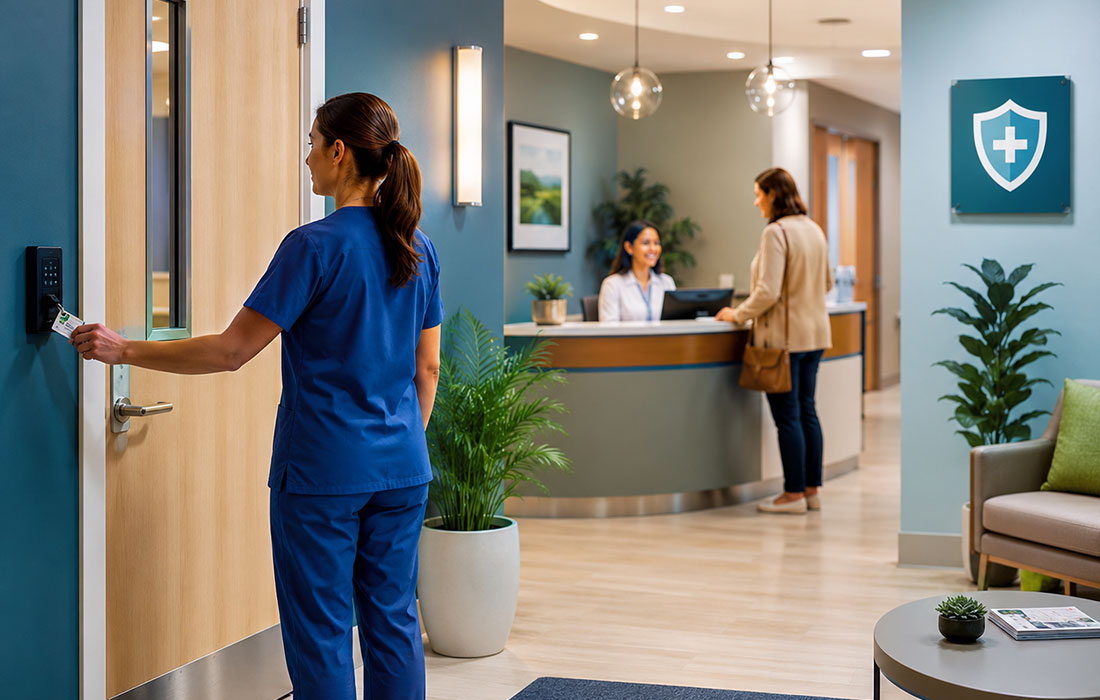
A healthcare organization can invest in encryption, firewalls, and strong access controls. Then one ordinary moment can place patient information at risk.
A secured door is held open for someone carrying a box. A staff member steps away from an active computer. A laptop is left in an unlocked office. A patient list sits beside a shared printer.
No malware is needed. No password has to be stolen. The risk begins with a door, a screen, or a device that is easier to reach than it should be.
This is why HIPAA physical security and workstation security matter. Cybersecurity does not stop at the network. HIPAA physical safeguards protect electronic information systems, buildings, equipment, workstations, and media from unauthorized access and other physical risks.1-3 Electronic protected health information, or ePHI, exists in real rooms, on desks, in home offices, and on real devices. The safeguards must work there, too.
Why physical security is part of cybersecurity
The HIPAA Security Rule requires covered entities and business associates to protect ePHI with administrative, physical, and technical safeguards.1 Physical safeguards protect systems, buildings, and equipment from hazards and unauthorized entry.2
The physical safeguard standards cover four areas:
- Facility access controls
- Workstation use
- Workstation security
- Device and media controls
These areas are closely linked. A strong computer system can still be exposed when the room, device, or access process is weak.
Physical security is not limited to server rooms. It applies anywhere ePHI is viewed, stored, or used. This may include reception areas, nursing stations, billing offices, records rooms, home offices, mobile carts, and registration kiosks.
Physical security starts before anyone touches a computer
Many physical security failures begin with a polite act. Someone wants to help. A person looks familiar. A delivery seems routine. Holding a door feels harmless. Asking for identification feels awkward.
That is why staff should follow the approved access process instead of relying on appearance.
A uniform is not proof of access. A borrowed badge is not proof of access. A confident explanation is not proof of access. The visitor, vendor, and contractor process confirms who may enter.
Match access controls to the setting
HIPAA does not require every organization to use the same building design or security equipment. Safeguards should fit the organization’s size, systems, risks, and daily work.3
A small clinic may use different controls than a hospital. Both still need a clear way to decide who may enter areas that contain systems or devices with ePHI.
Useful controls may include:
- Assigned badges, keys, or access cards
- Visitor sign-in and escort rules
- Restricted routes for vendors and contractors
- After-hours access limits
- A fast process for lost badges or keys
- Removal of access when a role or job ends
- Locks, cameras, alarms, or security staff where needed
The goal is not to make the workplace unfriendly. The goal is to make access clear and easy to verify.
A propped door can defeat a secure entrance
Tailgating happens when one person follows another through a controlled door without using their own approved access. The second person may look as if they belong. That does not confirm they are authorized.
Staff should not put themselves in danger or physically confront someone. They should use the approved process. This may mean contacting security, reception, a manager, or another assigned resource.
Extending Physical Safeguards Home: Remote & WFH Workforce Security
When personnel work from home or operate remotely, HIPAA physical security requirements do not disappear—they extend to the home workspace. Home environments present unique physical and visual exposure risks, including family members, visitors, service technicians, delivery personnel, and smart household devices that could observe or capture sensitive information.
Remote staff must establish a dedicated, controlled work environment that meets the organization's physical safeguard standards:
-
Designated Workspace & Sightline Control: Work in a private room or dedicated space where visitors or household members cannot see monitors or overhear clinical/billing conversations. Position screens away from windows, high-traffic doors, and glass panels.
-
Prevent 'Shoulder Surfing' & Audio Capture: Turn off, mute, or remove smart home devices (voice assistants, smart speakers, security cameras) in your workspace during phone calls, tele-health sessions, or when handling ePHI.
-
Physical Document & Media Security: Never leave printed patient lists, medical notes, labels, or removable media (such as encrypted USB drives) unattended in common living areas. Store physical documents and devices in a locked drawer or filing cabinet when not actively in use.
-
Disposal Standards at Home: Never dispose of paper records or documents containing ePHI in domestic trash or recycling bins. Retain physical documents securely until they can be shredded with an approved cross-cut shredder or returned to the central facility for confidential destruction.
-
Device Isolation & Off-Hours Security: Lock workstation screens every time you step away, even briefly. At the end of the shift, log off completely and store mobile devices or laptops in a secure location to prevent unauthorized access by household members or guests.
Workstation use and workstation security are not the same
HIPAA treats workstation use and workstation security as two separate standards.
Workstation use covers what a device may be used for, how the work is done, and the area around the device. Workstation security covers physical steps that limit access to approved users.3
This difference matters because a password does not solve every risk.
A computer may have strong login controls but face a waiting room. A shared terminal may stay open after the user walks away. A laptop may be encrypted but left in a car. A home computer may be used where family members can see the screen.
What counts as a workstation?
A workstation is more than a desktop computer. It may be:
- A shared clinical terminal
- A laptop or tablet
- A check-in kiosk
- A home or remote-work computer
- A computer linked to medical equipment
- A device on a mobile cart
- A computer used for billing, coding, or scheduling
Each type of workstation has its own risks. The organization should review its location, users, purpose, and access to ePHI.3
The screen can become an open door
A workstation can become exposed in seconds.
A phone rings. A patient needs help. A coworker calls from across the room. Someone says, “I’ll be right back.” The interruption is normal. The open session is still a risk.
A person may not need to touch the keyboard. A name, diagnosis, medication, insurance number, or appointment detail may be visible from a hallway or waiting room.
Simple workstation habits that matter
- Lock or sign out before stepping away.
- Use only your own account, password, badge, or login method.
- Do not work under another person’s active session.
- Turn screens away from public view.
- Use a privacy filter when one is provided.
- Show only the information needed for the task.
- Keep unapproved devices and storage media away from workstations.
- Report open sessions, strange logins, missing devices, or signs of tampering.
Staff should not have to guess how to lock a device or report a problem. The organization should provide clear steps that fit the real workflow.
Device and media controls follow the information
Physical security continues when ePHI moves from one place to another.
Laptops, tablets, hard drives, backup devices, and removable media can hold large amounts of sensitive data. Paper records, labels, reports, and faxed pages can also expose patient information.
Organizations need clear rules for moving, storing, repairing, reusing, tracking, and disposing of devices or media that may contain ePHI.2-4
Common exposure points
- A laptop left in a car or unlocked office
- A tablet left on an unattended cart
- A USB drive used without approval
- Patient papers left at a printer or fax machine
- Equipment moved without a record
- A device sent for repair without safeguards
- Old hardware discarded before data is removed
- Patient papers placed in regular trash or recycling
A missing badge, key, device, document, or storage item should be reported at once. Waiting makes it harder to disable access, find the item, and review what may have been exposed.
Reasonable safeguards should support care
HIPAA does not require an organization to remove every possible risk of an incidental disclosure. It requires reasonable safeguards that fit the setting and the type of information.5
This balance matters. A rule that cannot be followed during real work may lead to workarounds. A weak rule may leave data exposed. The goal is reliable protection, not maximum inconvenience.
For example, a computer in a private office may need different controls than one at a busy nursing station. A home workstation may need different controls than a public check-in kiosk. The risk analysis should guide the choice.
Organizations should also follow minimum necessary policies when that standard applies. This means limiting unnecessary access, use, or disclosure of PHI. Treatment disclosures between healthcare providers are generally exempt from this requirement.6
What employees should notice
Physical and workstation incidents often begin with a small detail that looks out of place.
| What you notice | What to do |
|---|---|
| A secured door is propped open | Close it if safe and follow the security process. |
| An unfamiliar person enters a restricted area | Use the visitor or security process. Do not rely on appearance. |
| A badge, key, laptop, document, or storage device is missing | Report it at once. |
| A workstation is open and unattended (in office or at home) | Lock it if authorized and follow the reporting process. |
| A screen is visible from a hallway, waiting room, or household window | Reduce the exposure and tell the manager if the setup must change. |
| Someone is using another person’s active session | Do not continue the session. Report the concern. |
| A device looks moved, damaged, or tampered with | Stop using it and contact security or IT. |
| Household members or guests are near an active remote session | Lock screen immediately, secure physical documents, and reposition workspace. |
What managers and compliance leaders should check
A strong program does not place the whole burden on employees. Management must create an environment that supports safe action.
- Keep an updated list of workstation types and locations.
- Group workstations by use, location, and risk.
- Review public, shared, mobile, remote, and high-traffic workstations.
- Control restricted areas, visitor routes, badges, keys, and after-hours access.
- Remove physical and system access when it is no longer needed.
- Position screens and equipment to reduce public or unauthorized viewing.
- Provide secure storage and disposal resources for devices, media, and paper records at facilities and home offices.
- Make reporting fast and easy.
- Document incidents, reviews, and corrective actions.
- Review safeguards when locations, systems, or workflows change.
The HHS Audit Protocol looks for these kinds of controls. It asks about workstation locations, inventories, physical surroundings, unauthorized viewing, and proof that the safeguards are used in practice.3
A simple way to remember the whole topic
Three questions can guide daily decisions:
- Secure the space: Who can enter, and how is access verified?
- Secure the screen: Who can see or use the workstation right now?
- Secure what moves: Where are devices, media, and printed information stored and handled?
These questions turn a broad HIPAA requirement into a useful daily habit.
The best physical safeguards are often simple. The door closes. The badge is not shared. The monitor faces away from public view. The screen is locked before the user leaves. A missing device is reported without delay.
Cybersecurity continues through the room, the doorway, the desk, the screen, and every person who can reach them.
Turning Safeguards into Daily Practice
Physical security and workstation security protect the place where digital systems meet the real world. When that point is weak, ordinary access and routine interruptions can undo strong technical controls.
The goal is not to make healthcare work rigid or difficult. The goal is to make safe access clear and unauthorized access harder.
Secure the space. Secure the screen. Secure what moves. Then report what does not look right.
How Structured Support Helps
HIPAA security shouldn't be a burden, but a blueprint for resilient practice. EPICompliance provides a centralized platform for managing training, policy templates, and automated task lists, keeping your team organized and audit-ready. When you need to align these tools with your specific operations, Taino Consultants provides expert guidance to help you navigate the Security Risk Assessment (SRA) process and right-size your risk management plan.
Take the next step
Current Users: Log in to review your monthly security reminders, compliance tasks, and ensure your documentation reflects your current workflows.
New to Us? Discover how our combined tools and guidance reduce uncertainty and build a culture of compliance.
References
- US Department of Health and Human Services. The Security Rule. Office for Civil Rights. Accessed July 15, 2026.
- US Department of Health and Human Services. What Does the Security Rule Mean by Physical Safeguards? Office for Civil Rights. Reviewed December 28, 2022. Accessed July 15, 2026.
- US Department of Health and Human Services. HIPAA Audit Protocol: Facility Access Controls, Workstation Use, Workstation Security, and Device and Media Controls. Office for Civil Rights. Accessed July 15, 2026.
- Marron J. Implementing the Health Insurance Portability and Accountability Act (HIPAA) Security Rule: A Cybersecurity Resource Guide. NIST Special Publication 800-66, Revision 2. National Institute of Standards and Technology; 2024. doi:10.6028/NIST.SP.800-66r2
- US Department of Health and Human Services. Incidental Uses and Disclosures. Office for Civil Rights. Accessed July 15, 2026.
- US Department of Health and Human Services. Minimum Necessary Requirement. Office for Civil Rights. Accessed July 15, 2026.